



Expense Management
Expense Management System Implementation Guide for Canadian Businesses
Are manual expense processes getting you down? It might be time for an expense management system.
May 26, 2026
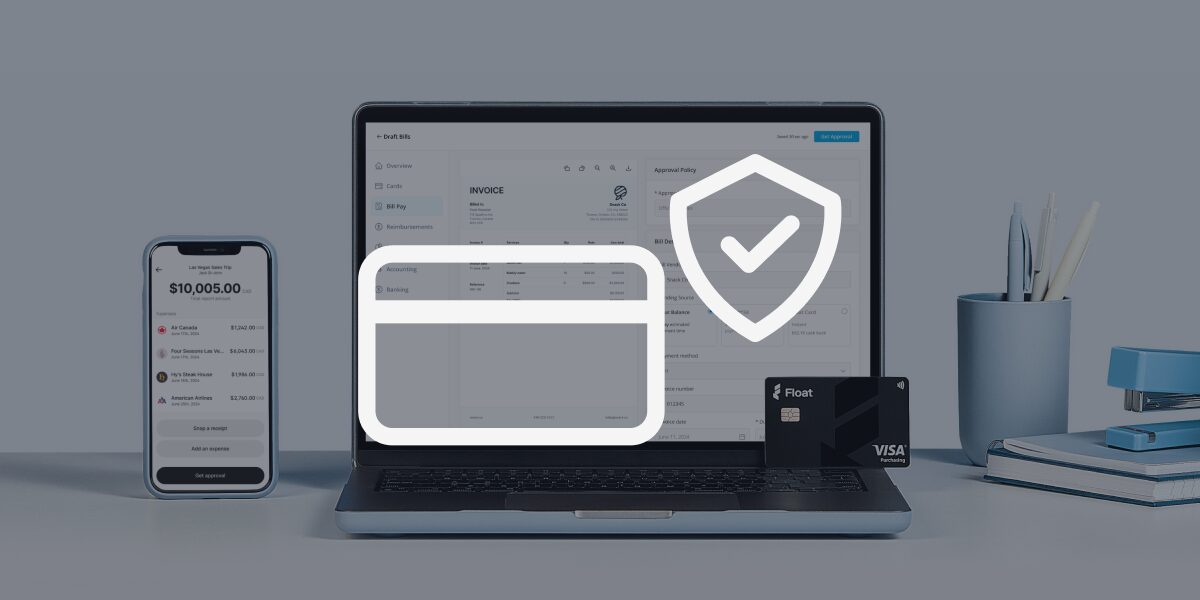



Manual expense processes are a pain for any business, but they don’t just get “a bit harder” as you grow—they completely fall apart. What worked with a small team becomes a constant drain on a scaling company. Receipts go missing, line items don’t add up, approvals stall and finance ends up chasing people instead of doing strategic work.
But the real cost isn’t just admin time. It can also create compliance risk when receipts, tax details, approvals and audit trails are scattered across spreadsheets, inboxes and disconnected tools.
The cure? A modern expense management system. However, it only helps if you choose and implement it properly.
In this article, we’ll cover everything you need to know about expense management systems for Canadian businesses. You’ll learn what these platforms do, which features to look for, and how to select, implement and optimize your expense management system so you can scale your business with ease.
What is an expense management system?
An expense management system is a tool (or set of tools) that enables businesses to track, manage and control employee spending. It replaces manual processes, such as spreadsheets and email chains, with structured, automated workflows that ensure your expenses are properly managed and ready for faster reconciliation.
Key functions of an expense management system include:
- Digital expense tracking
- Digital receipt capture
- Card-based spend management
- Approvals workflows
- Streamlined reimbursements with fast, direct payouts
- Real-time reporting
Not all expense management systems are created equal. Basic tools focus on expense capture and primarily include features for submitting receipts and obtaining reimbursement approval. These tools are a great starting point for small businesses transitioning away from manual workflows.
Integrated financial platforms go further, connecting the expense management system to your financial stack, including your accounting software, corporate cards, budgeting software and more. These systems allow your business to better control spending as part of your overall financial situation.
Why Canadian businesses need a modern expense management system
With the rise of AI, the business landscape is shifting faster than ever before. Founders who want to scale effectively know they need the right tools for the job. A modern expense management system is quickly becoming a core operational tool for several reasons.
Rising operational complexity
More moving parts, including vendors, tools and transactions, mean that finance teams need systems capable of standardizing and automating workflows (instead of processes that require manual follow-ups).
CRA compliance and audit readiness
The Canada Revenue Agency has strict requirements for GST/HST tracking and receipts. Relying on manual processes to meet these requirements can lead to inconsistent categorization, rejected tax claims and weak audit trails.
Remote teams and distributed spending
With employees spending across geographic locations and currencies, businesses are facing increased complexity in tax and reimbursement processes. Modern expense automation software can centralize these workflows.
Real-time visibility into cash flow
Visibility only comes after expenses are submitted and processed when you operate with manual expense management. For faster financial decision-making, Canadian businesses need real-time expense tracking.
Signs it’s time to upgrade your expense management process
Wondering if you’re ready for a modern expense management system? If you’re seeing any of these signs, you may be facing a system problem.
Receipt chasing
If your spend management process relies on reminders and follow-ups, there’s a good chance that it’s broken and unscalable. Your finance team shouldn’t have to chase down people in the hall to fish out crumpled receipts from their wallets.
Manual spreadsheets
Everyone loves a well-organized spreadsheet, but it can’t hold up to a scaling business. From version control issues to missing data, if your spreadsheet is causing you to pull your hair out, it’s not working.
Delayed reimbursements
If approval cycles are slow and your employees have to wait weeks (or longer) to be reimbursed, everyone’s going to be frustrated. These types of delays signal that your current processes aren’t aligned with your growth.
Lack of visibility into spend
Leadership needs real-time data to make critical decisions, but if they have to wait for month-end reports, financial surprises may derail their plans.
Frequent errors
From duplicate expenses to typos to incorrect categories, inconsistencies and mistakes make your financial documents unreliable. Small errors can turn into bigger financial and compliance issues.
Finance team bottlenecks
If your team is stuck doing manual admin work, everything slows down to a grind—approvals, reviews, reconciliations and reimbursements. This is a sure sign that you need an efficiency upgrade.
How to choose the right expense management system
Choosing the right expense management system for your Canadian business isn’t easy and there are several aspects to consider. We’ll break down the most important information to keep in mind as you make your decision.
Core features to look for
Not every business has the same needs, but a few core features will come in handy no matter your spend management requirements:
- Expense capture and automation: Choose systems that offer mobile receipt scanning, automated data extraction, auto-categorization of expenses and other features that minimize manual data entry.
- Approval workflows: You need automated workflows with customizable rules based on roles, departments and spend thresholds so the expense process moves without manual pokes and prods.
- Reimbursements: Automated or batch-based reimbursements ensure employees receive their funds promptly.
- Credit card spend management: Physical and virtual company cards with built-in controls, custom limits and restrictions are an excellent way to carefully monitor employee spend.
- Policy enforcement: Opt for a system that automatically flags or blocks any out-of-policy spends, minimizing issues before they snowball.
- Real-time reporting and insights: Growing Canadian businesses need real-time visibility into financial trends, budgets and anomalies. Choose systems with detailed dashboards and reports.
- Multi-currency spend management: For businesses that work with international suppliers or have employees out of the country, go with a system that offers foreign exchange savings and CAD and USD spend capabilities with competitive exchange rates.
- Strong customization: Businesses should choose a system that scales with them and adapts as their processes evolve. Customization provides flexibility as you grow.
Canada-specific considerations
The true north strong and free has some special requirements you need to be aware of when choosing your expense management system:
- GST/HST (and PST/QST) handling: Opt for a GST/HST expense tracking software that offers automatic tax calculations and proper categorization based on provincial and federal tax requirements.
- CRA-compliant record keeping: To ensure you meet all CRA requirements, it’s best to go with an expense management tool that offers secure storage, easy audit trails and quick retrieval of financial documentation.
- Local support: Consider whether the solution is built in Canada by a Canadian team, as this often leads to more relevant support and a better understanding of local business needs.
Integration capabilities
Your expense management system should be able to seamlessly integrate with your entire financial tech stack, which may include:
- Accounting software: Eliminate manual data entry with integrations into tools such as QuickBooks, Xero or NetSuite.
- Corporate cards: Some expense management systems offer their own cards, while others connect to your bank cards.
- Payroll systems: This integration is necessary for seamless reimbursement processing.
- ERP software: If you use enterprise resource planning tools, get deeper financial visibility by plugging into your expense management software.
User experience
When you introduce a new tool into your business, adoption is everything. Even the most powerful expense management system will not be helpful if your team doesn’t actually use it.
Look for expense categorization software with an employee-friendly, simple and easy-to-learn user interface. Training should be quick and offered digitally (no dusty manuals, please!).
The benefits of an integrated approach vs. standalone tools
Standalone expense management tools enable you to streamline processes and speed up reimbursements. However, an integrated solution like Float connects expense management, corporate cards, reimbursements, bill payments, approvals, real-time reporting and accounting sync in one platform. This way, you can oversee your spend from multiple vantage points.
Integrated expense management systems like Float eliminate data silos so your expense data flows through your financial systems. It offers real-time visibility into your company spend, giving you better cash flow control and faster time to reconciliation and close.
Step-by-step expense management system implementation plan
Sold? Follow these steps to implement an expense management system into your business.
1. Assess your current process
Start by reviewing how your expenses are submitted, approved, reimbursed and recorded.
Which tools do you use today? Think spreadsheets, email, company cards, etc. Identify your pain points, which likely include missing receipts, slow approvals and duplicate entries. Consider where manual processes are causing bottlenecks, errors and other issues.
2. Define goals and success metrics
What do you want the new expense management system to achieve? Perhaps it’s faster reimbursements, less manual admin work, increased compliance, improved spend visibility or stronger policy enforcement.
Identify specific and measurable goals with clear success metrics you want to hit, like reducing reimbursement time from 21 days to 5 days or decrease missing receipts by 75%.
3. Select the right expense management system
Consider your business size, complexity, budget and needs. Think about whether you want a basic expense tool or an integrated solution that also includes corporate cards and real-time reporting.
Plan ahead 12 to 24 months and consider your future needs as well. The new expense management system should scale with you.
The most important factor in selecting the right system for your business is viewing the relationship as a partnership rather than just a tool. Successful implementation requires collaboration and ongoing support from your vendor.
4. Configure policies and workflows
Configure your company expense policy within the expense management system so it can enforce spend limits, require receipts at time of payment and automatically define reimbursable vs. non-reimbursable expenses.
Be sure to build approval workflows with thresholds, and route approvals based on department, manager, category or amount.
5. Migrate data and integrate systems
Bring in clean historical data from your previous system, such as employee profiles, expense categories, recent expense reports and approval hierarchies. Make sure you remove any inconsistencies and outdated data before the migration.
Integrate the expense management system with your other tools, such as your accounting software, payroll system and banking tools.
6. Train your team
Allocate internal resources and be prepared to fully commit to implementing a new expense management solution. Investing the necessary time and effort upfront ensures the system is properly embedded and that you can realize its full value.
Provide employees with training on submitting expenses and uploading receipts, as well as the new reimbursement process. For managers, focus on approval workflows, spotting policy issues and how to escalate problems. Your finance team needs in-depth training on reconciliation, reporting, audits and exception handling.
7. Roll out and monitor adoption
Communicate news of the rollout so everyone is aware of when the new expense management process starts, what types of changes they can expect and who they should turn to if they have questions.
Monitor adoption closely and track success metrics you identified in step 2. Gather feedback from employees, managers and the finance team to see how you can refine workflows for better results.
Common challenges (and how to avoid them)
Even if you do everything correctly, you may end up with a roadblock or two. Here are common challenges you may face and what you can do to resolve them.
Low employee adoption
If employees are avoiding the new expense management system, they may not know how to use it. Provide relevant training tailored to employee roles to ensure a smooth and straightforward user experience.
Poor data migration
Messy, duplicated or incorrect data from the old system can feed into the new one. Be sure to clean data before the migration and roll out a limited data set to start so you can test it before the full launch.
Overcomplicated policies
Too many complex rules can confuse your team. Use clear, simple rules to govern the most common expense types. Set realistic limits and thresholds. Refine policies to include edge cases as needed.
Lack of integration
If you have to manually move expense data between your system and your other tools, something’s bound to go wrong. Prioritize connected systems with native integrations.
Underestimating internal delays
Businesses should be realistic about potential internal hurdles. This includes dedicating sufficient resources, aligning internal stakeholders and committing fully to the implementation process to ensure the project gets the attention it needs to succeed.
Best practices for long-term success
Want your expense management system to work effectively for your business? These strategies will do the trick.
Conduct regular policy reviews
Don’t set it and forget it. Review your expense policy on a quarterly or annual basis to accommodate growth, changing expense patterns and emerging expense categories.
Continuously optimize your expense workflows
Pay attention to where expense submissions get stuck in the process or where the most errors and exceptions occur. Determine how you can refine the process for the best results.
Leverage real-time data for decision-making
Real-time insights can help you adjust budgets proactively and control costs before they escalate. Instead of waiting until month-end, you can make faster operational decisions based on live numbers.
Align expense management with your broader financial strategy
Expenses don’t exist in a bubble. Coordinate your expense policy with your company priorities, such as controlling costs and investing in growth, by using spend data to determine strategic steps.
How Float simplifies expense management for Canadian businesses
Evaluating and implementing an expense management system is one of the most important things you’ll do for your business, which is why you can’t afford to get it wrong.
Float is an all-in-one platform that includes expense management, corporate cards, reimbursements, reporting and so much more, simplifying the entire expense process. Your employees get more flexibility while your finance team gets increased visibility, meaning your business can run at an accelerated pace without worrying about paper receipts or out-of-policy transactions slowing you down.
Built to support Canadian tax tracking, receipt collection and audit-ready workflows, Float helps finance teams reduce manual work and improve visibility across company spend.
Explore Float’s expense management system today and see how it supports your team’s potential.
Written by

All the resources

Corporate Cards
Procurement Cards vs. Corporate Cards: Which is Right for Your Business?
Let's break down how procurement cards and corporate cards work, where each one shines and how Float offers the flexibility
Read More
Corporate Cards
No-Credit-Check Business Credit Cards: Complete 2026 Guide
Looking for access to credit? A no-credit-check credit card might be the path forward.
Read More
Corporate Cards
Best 0% Interest Business Credit Cards for 2026
Explore why choosing a 0% APR business credit card can be a strategic move for Canadian businesses.
Read MoreSpend time and money
where it counts
Earn up to 4% interest on your cash balance and simplify business spending with corporate cards, accounts payable and expense management software.